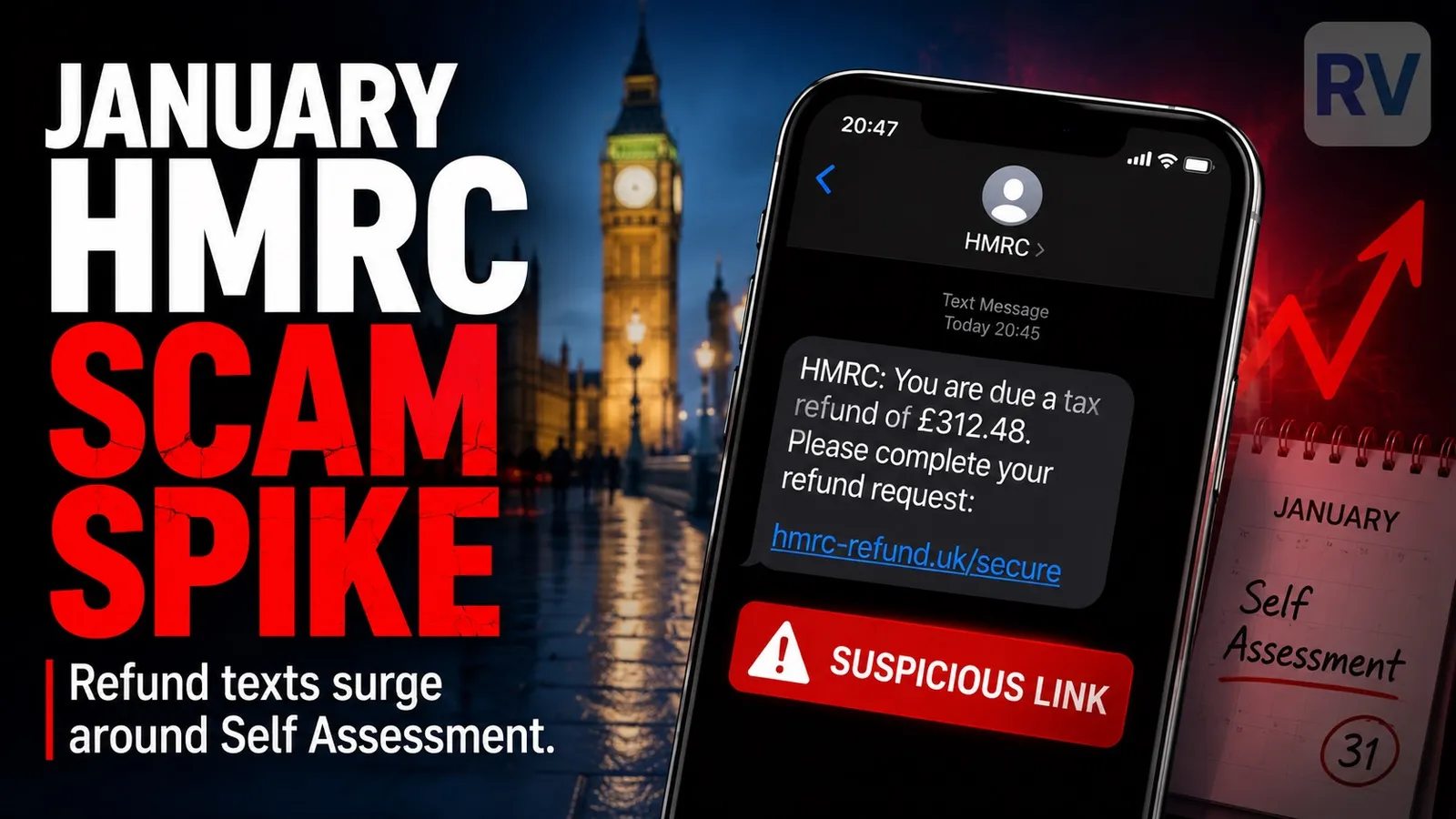
If you have received a text saying HMRC owe you a tax refund, a rebate or a “claim”, or claiming you have outstanding tax to pay, treat it as a scam. HMRC do not tell you about refunds or tax owed by SMS, and they never ask for bank details or login credentials through a text link. This guide is part of our mobile scams series and explains what the messages look like, what the scammers actually want, how to report them through the right UK channel, and what to do if you have already clicked.
What the fake messages look like
HMRC scam texts come in a handful of consistent shapes. The samples below are reproduced anonymised, with malicious URLs replaced by placeholders.
- “HMRC: Records show you have a pending tax refund. To calculate your claim, please visit hmrc-claim.[fake]”
- “HMRC Notice: Our records show you’re eligible for a tax refund of £327.45. Please claim your refund via: hmrc-refund.[fake]”
- “HMRC: You are entitled to a tax refund. Click here to claim before the deadline: gov-hmrc.[fake]”
- “HMRC: You have outstanding tax to pay. Click here to settle before legal action is taken: hmrc-pay.[fake]”
- “HMRC: Action required, your Self Assessment claim is pending. Verify your details: hmrc-self-assessment.[fake]”
The patterns repeat: a specific or vaguely specific amount of money, a “claim” or “verify” link, and either the promise of a payment to you or the threat of legal action against you. Both are designed to bypass careful thought.
What the scammers actually want
There are three goals, sometimes combined.
The most common is to harvest your personal details: full name, date of birth, address, National Insurance number, and the answers to your security questions for the Government Gateway. With those, the scammer can apply for credit in your name, open accounts you do not know about, or impersonate you with other government services. According to security researchers, a complete UK tax-form-style data package sells on dark web marketplaces for roughly £10 to £20 per record.
The second is your bank details, captured under the cover of “where shall we send your refund?”. Card numbers harvested this way are used for low-value fraudulent purchases or sold on.
The third is direct access to your Government Gateway account. Once the scammer has your login and one-time codes, they can change your tax-related contact details, redirect any real refund to their own account, and try the same password against your other services. The reuse of passwords is what turns a single phishing success into multiple account takeovers.
This is the same engine that drives the fake Vodafone bill SMS scam and the missed delivery SMS scam. The brand on the door changes, the goal does not.
Six red flags to spot it
- The URL is not
gov.uk. HMRC links always end ingov.uk(or open inside the official HMRC apps). Anything else (hmrc-claim.co,gov-hmrc.[xx],claim-refund.[xx]) is fake. - HMRC does not contact you about refunds by SMS. The HMRC guidance is explicit: refunds are credited automatically, or appear inside your Government Gateway when you log in. No text, no email, no link.
- A specific refund amount used as bait. “Refund of £327.45” feels authentic but is generated automatically by the scammer to add credibility. Real refunds are not announced by SMS.
- A request for bank details, card numbers or your Government Gateway password. HMRC’s own page states they will never ask for these through a text or email link.
- A legal threat in plain language. “Court summons pending”, “arrest warrant issued”, “fine to be issued unless paid today” are scam tropes. Real HMRC enforcement actions are notified by post and go through specific legal procedures, never a 200-character SMS.
- The timing aligns with the Self Assessment season. Most fake HMRC traffic spikes between December and the end of January. If you are not even registered for Self Assessment and a “claim” message arrives, it is by definition not from HMRC.
What to do if you have received one
Three actions, in this order.
Do not click the link. The fake landing page is designed to look exactly like the Government Gateway. Even loading it can be used to fingerprint your device.
Forward the text to 60599. This is the HMRC-specific UK shortcode, free on every operator. It goes directly to HMRC’s investigation team. The broader shortcode 7726 also works and routes to your mobile operator. For HMRC impersonation, 60599 is the better channel because the team that owns the brand sees it directly. For emails, the equivalent is [email protected].
Report the incident to Action Fraud. At actionfraud.police.uk or by phone on 0300 123 2040. Reports are what build the data behind HMRC’s takedown numbers, the 25,000 fake sites and numbers shut down in just 10 months of 2025 only happened because people reported.
What real HMRC contact looks like
HMRC’s own guidance, on the same page that hosts the quote above, is unambiguous about what genuine HMRC contact looks like. Refunds are issued automatically by credit to the card or account that paid, or by cheque, never by an SMS link. Tax owed is notified by letter, sometimes followed by a phone call where the caller can be verified by calling HMRC back on a number from gov.uk. Self Assessment users see real notifications inside their Government Gateway when they log in. Anything that breaks that pattern is, by HMRC’s own admission, not them.
If you already clicked or shared details
If you entered your National Insurance number, date of birth or address: monitor your credit file with Equifax, Experian and TransUnion over the following months for accounts opened in your name. Consider placing a fraud alert with one of those bureaus (it propagates to the others). Report the incident to Action Fraud so it is logged formally.
If you entered bank or card details: call your bank on the number on the back of your card and ask them to block the card and watch the account. If money has already moved out of an account, you may be entitled to reimbursement under the Payment Systems Regulator’s mandatory APP fraud scheme, covered in detail in our piece on the bank suspicious activity call scam.
If you entered your Government Gateway login: sign in at gov.uk from a device you trust (a laptop is safer than the phone the SMS landed on), change your password and your security questions immediately, and check that the email and phone number on the account are still yours. If they have been changed, ring the HMRC online services helpdesk on the number listed at gov.uk.
If you downloaded an “HMRC app” through a link: do not log in to anything sensitive from that device until it is clean. Run a reputable antivirus scan, and if there is any doubt, factory reset and restore from a backup taken before the install. Change the passwords of your important accounts (email and banking first) from a separate device.
The same recovery playbook applies to the related scams we cover in this series, including the Hi Mum WhatsApp scam.
Sources and methodology
The figures here come from HMRC’s own published scam-reporting data for 2025, the gov.uk guidance pages on genuine and phishing texts, NCSC’s phishing and scams guidance, and Action Fraud. Sample messages are reproduced anonymised with placeholder URLs in place of any live malicious link. No scammer phone numbers are published, the spoofed numbers usually belong to innocent third parties. This article was last reviewed on the date shown at the top and will be updated when new variants appear.
Comments
0 comments
Loading comments…