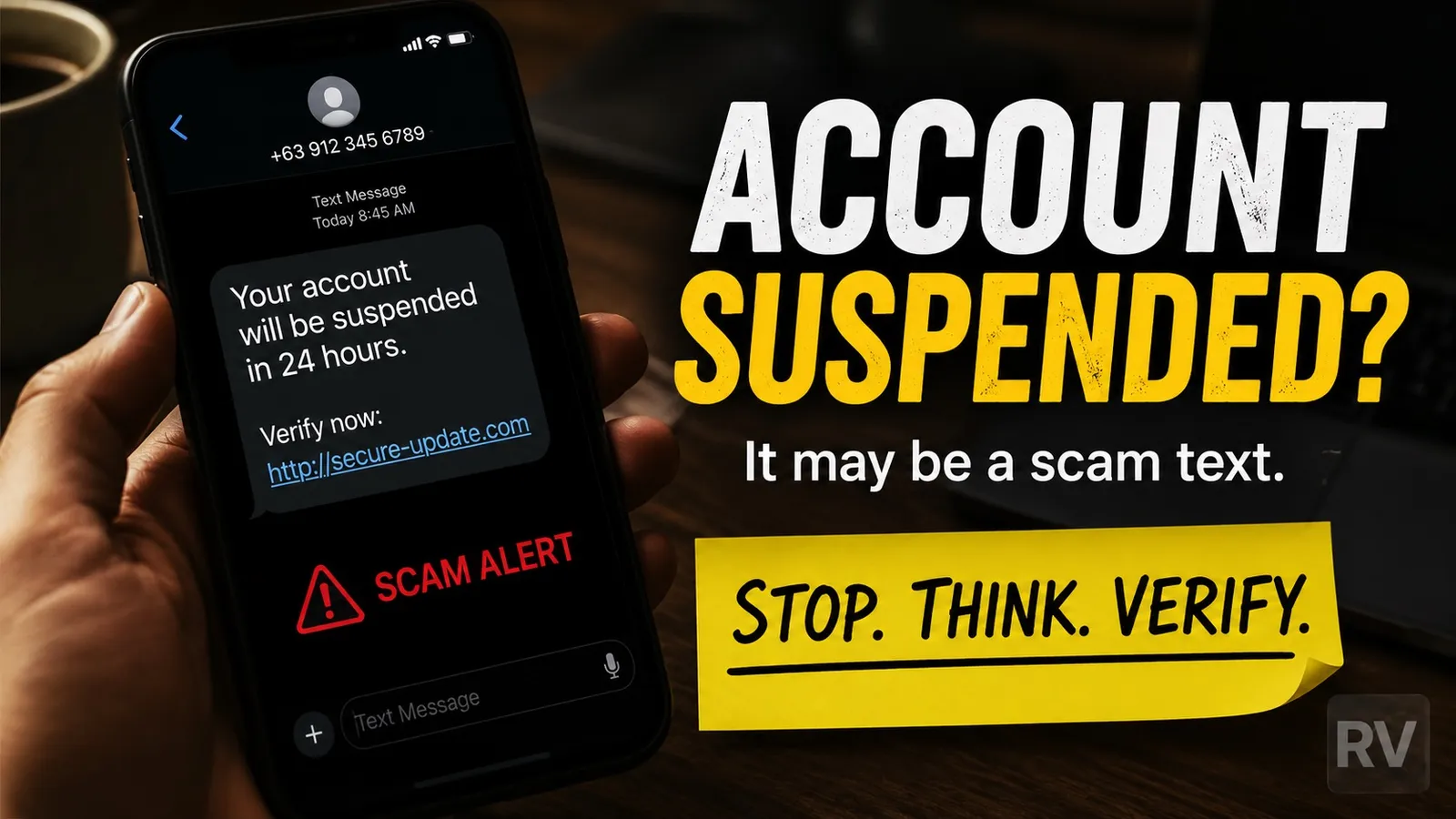
If a text claiming to be from Vodafone has just asked you to click a link to pay a missed bill, accept new terms or claim a refund, treat it as a scam by default. Vodafone do not handle billing problems by SMS in that way. Since 2024, fake Vodafone billing texts have become one of the most reported smishing campaigns in the UK. This guide is independent (we are not Vodafone) and explains what the messages look like, what the people behind them actually want, and exactly how to report and protect yourself.
What the fake messages actually look like
UK consumers report several variations. They share the same shape: a sense of urgency, a link, and a problem you need to act on right now. The samples below are real patterns reproduced by Which? and other UK consumer publications, with the malicious URLs replaced by placeholders so nobody can click them by accident.
- “Your Vodafone contract will be disabled as you haven’t accepted the new terms and conditions. Click here to accept: vodafone-terms.[fake]”
- “Your latest Vodafone bill needs payment urgently. Update your details here: vodafone-billing.[fake]”
- “You have a pending refund from Vodafone. Verify your account: vodafone-refund.[fake]”
- “We could not process your last payment. Update your card to avoid suspension: vodafone-pay.[fake]”
- “Your account will be suspended in 24 hours. Verify payment information immediately: link”
If you have read any of those almost verbatim on your phone in the last 12 months, you are not imagining it. The same templates are sent in waves to UK numbers, often timed to billing cycles or to events like operator price changes.
What the scammers actually want
These messages have one of three goals.
The most common is to harvest your payment details. The link leads to a page that looks like Vodafone’s billing portal and asks for your card number, expiry date and CVV. Those details then either fund fraudulent purchases or get sold on for someone else to use.
The second goal is to harvest your My Vodafone login. With access to your account, a scammer can read your verification SMS codes, change your contact details and try to perform a SIM swap, transferring your phone number to a SIM card they control. Once they have your number, they can intercept the two-factor codes for your bank, email and other services.
The third goal is to install malicious software on your phone. The link sometimes points to a fake app store entry or pushes a sideload. Once installed, the app reads your messages, your contacts and your banking apps.
In all three cases the fact that the message arrived dressed as Vodafone is incidental. The same operation is run against Three, EE, O2, banks, the postal service, HMRC and families on WhatsApp, with different templates.
Six red flags to spot the scam
- The URL is not vodafone.co.uk. Legitimate Vodafone links end in
vodafone.co.ukorvodafone.com. Anything with extra words, hyphens or unusual top-level domains (vodafone-billing.co,v0dafone-pay.xyz,vodafone.[xx]) is fake. - The sender is a regular mobile number, not a short code. Real Vodafone communications usually come from a recognisable short code and from a small set of numbers tied to your account, not from a random
07...mobile number. - An artificial deadline. “Your contract will be disabled within 24 hours”, “act now to avoid suspension”, “refund expires today”. Urgency is the most common pressure tactic in every smishing template.
- A request to click a link to do anything financial. Real billing problems are handled inside the My Vodafone app or on a call to a known Vodafone number. You should never need to click a link in an unsolicited text.
- It asks for things Vodafone never asks for. Passwords, PINs, one-time security codes, full card numbers. Vodafone’s own anti-fraud page states this explicitly.
- Spelling, grammar or branding is slightly off. Real Vodafone messages are produced and checked by a corporate communications team. Small errors like missing capital letters in product names, awkward phrasing or an inconsistent tone are signs the message is not from them.
What to do if you have received one
Three actions, in this order.
Do not click the link. Even visiting the page can be enough for a determined operator to fingerprint your device or push a download. If you already opened it, do not enter any data.
Forward the message to 7726. This is the free UK shortcode supported by every mobile operator. It sends both the text and the sender’s number to your network so they can investigate and block the source. The shortcode spells “SPAM” on a phone keypad and is recommended by Ofcom and the NCSC.
Report it to Action Fraud. Either online at actionfraud.police.uk or by phone on 0300 123 2040. You can also report the incident to Vodafone directly through the fraud report form on their website. Reports are how the volume gets quantified and how the take-down lists get built. The NCSC’s Suspicious Email Reporting Service has received over 51 million reports since launch, and over 27,000 scam URLs have been taken down off the back of 7726 reports since 2020.
What Vodafone will never ask for
This list is from Vodafone’s own anti-fraud guidance, not from us:
“Vodafone will never ask you to provide your password, PIN, one-time access code or full payment details by SMS, email or phone.”
If a message claiming to be from Vodafone asks for any of those, it is a scam, full stop. The same rule holds for EE, O2, Three and every UK bank.
If you have already clicked the link or entered details
There is a window during which you can still limit the damage. Act quickly.
If you entered card details: call your bank on the number on the back of your card (not on any number the SMS gave you) and ask them to block the card and watch the account. Most UK banks will issue a new card the same day. If money has already moved, you may be entitled to reimbursement under the Payment Systems Regulator’s mandatory APP fraud scheme, which covers most authorised push payment fraud up to £85,000.
If you entered your My Vodafone login: open the official app or vodafone.co.uk on a device you trust (a laptop is safer than the phone the SMS landed on), change your password, and check that the email and contact phone number on the account are still yours. If they have been changed, call Vodafone customer support on a known number to recover access.
If you downloaded anything: run a reputable antivirus scan on the device, and if you have any doubt, factory reset the phone and restore from a backup taken before the click. Change the passwords of your most important accounts (email and banking first) from a different device.
Then report the incident to Action Fraud so it is logged formally. Doing that is what gives consumer-protection bodies the data to push for take-downs and policy changes.
Sources and methodology
The figures quoted here are from primary sources: the National Cyber Security Centre, Ofcom and Vodafone UK’s own anti-fraud pages, plus consumer journalism by Which?. Sample messages are reproduced anonymised, with malicious URLs replaced by placeholders so no reader can click through. No scammer phone numbers are published, because caller ID spoofing means those numbers almost always belong to innocent people whose lines were spoofed. This article was last reviewed on the date shown at the top and will be updated when new variants appear in the UK.
Comments
0 comments
Loading comments…