
A man and woman looking at a smartphone and laptop, the woman holding a red card.

Image illustrative, generated with AI for editorial purposes.

Last updated on

How to Check Your Mobile Number While in Spain

📡 Mobile network how-to


On this page (3 sections)
  1. Checking Your Number: The Main Methods
  2. Understanding Vodafone UK Roaming in Spain
  3. What to Do If You Still Can’t Find Your Number
*#100#
USSD code to dial to find your Vodafone Spain phone number
Source: YouTube (How to Know my Vodafone Spain Phone Number)

Forgetting your own phone number is easily done, especially if the SIM is new or you rarely need to share the number. If you are a Vodafone UK customer travelling in Spain, finding your number is straightforward and can usually be done without incurring any cost. This guide outlines the official methods for UK customers to retrieve their number while roaming.

The fastest way to check your Vodafone UK number is to dial *#100# from your phone. The My Vodafone app is a reliable alternative that also allows you to manage your account and view roaming charges. Most Vodafone UK Pay Monthly plans now require a daily payment to use your UK allowance in Spain. Contacting Vodafone UK from Spain is free from your Vodafone mobile by dialling +44 7836 191 191.

Checking Your Number: The Main Methods

Whether you are on a Pay Monthly contract or a Pay As You Go plan, the same methods will work to find your number when roaming in Spain. It is advisable to try these in order, starting with the simplest.

Method 1: Dial the Free Service Code

The most direct way to find your number is by using a USSD code. This method does not require an internet connection and works on any mobile handset.

  1. Open the phone dialler app.
  2. Type in *#100# and press the call button.
  3. Your Vodafone UK mobile number will appear on the screen after a few seconds.

This service is free to use from your Vodafone mobile, even when you are abroad.

Method 2: Use the My Vodafone App

The official My Vodafone app displays your number and provides a full overview of your account. To avoid using mobile data, it is best to download and sign into the app before you leave the UK.

  1. Connect to a Wi-Fi network if you are concerned about data charges.
  2. Open the My Vodafone app.
  3. Your mobile number is typically displayed on the app's home screen or within the 'My Account' section.

Method 3: Check Your Phone’s Settings

Most smartphones store your number within their settings menu, allowing for a quick offline check.

  • On an iPhone: Go to Settings > Phone. Your number will be listed at the top under "My Number".
  • On an Android device: The path can vary slightly, but it is generally found under Settings > About phone > Status > SIM status. Look for the field labelled "My phone number".

Note that on some occasions, particularly with new SIM cards, this field may be blank. If so, the other methods are more reliable.

Understanding Vodafone UK Roaming in Spain

Since the UK’s departure from the European Union, roaming policies have changed. Most Vodafone customers whose Pay Monthly plans started on or after 11 August 2021 may need to pay a daily charge to use their UK allowance of data, minutes, and texts in Spain.

Spain is in Vodafone’s Zone B. For plans that do not have inclusive roaming, a daily charge of around £2.57 to £2.75 typically applies. Alternatively, you can purchase an 8-day or 15-day European Roaming Pass, which can be more cost-effective for longer trips. Pay As You Go customers will need to purchase a roaming Extra to use their phone in Europe.

£2.57 - £2.75: Typical daily charge for roaming in Spain on many Pay Monthly plans. 8 or 15 days: Duration of European Roaming Passes available for purchase. Zone B: The Vodafone roaming zone that includes Spain.

It is recommended to check the specific terms of your plan before travelling by using the Roaming Charge Checker on the Vodafone UK website.

What to Do If You Still Can’t Find Your Number

If the methods above do not work, your final option is to contact Vodafone’s customer service team directly. They can confirm your number after completing a security check.

"Existing customers can call us on 0044 7836 191 191 from a Vodafone mobile when abroad." Source: [Vodafone UK Contact Us Page](https://www.vodafone.co.uk/contact-us/)

Calling this number from your Vodafone UK mobile is free of charge. Be prepared to answer some account security questions to verify your identity.
Is it free to check my Vodafone UK number from Spain? Yes, dialling *#100# is a free service. Checking your phone's settings or using the My Vodafone app on Wi-Fi will also not incur charges. Will a Spanish Vodafone code work on my UK SIM? No. When you are roaming, your phone is still connected to the Vodafone UK network. You must use the codes and contact numbers for Vodafone UK, not the local Spanish equivalents. Can I call the standard UK customer service number '191' from Spain? No, the shortcode 191 does not work from abroad. You must dial the full international number, +44 7836 191 191, which is free to call from your Vodafone mobile while roaming. Vodafone UK - What's my phone number? Vodafone UK - Global Roaming Vodafone UK - Contact Us
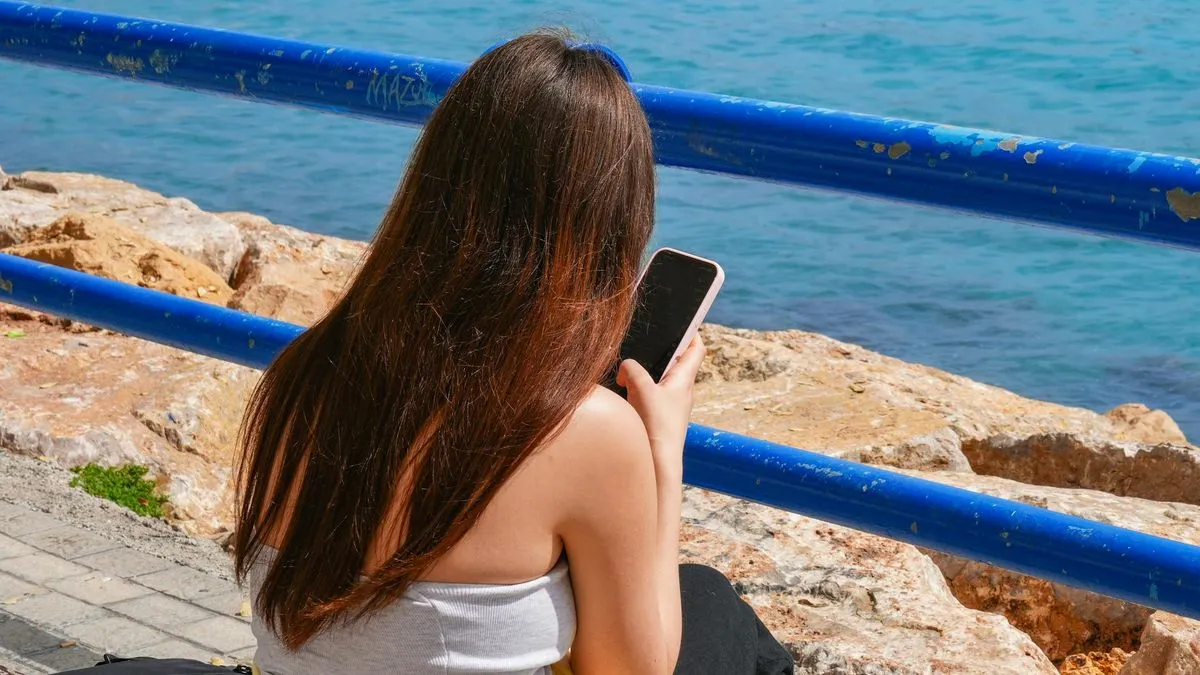
A woman with long brown hair sits by the sea, looking at her phone.
Photo by Emilio Sánchez Hernández on Pexels

To know your Vodafone Spain phone number, there are a few simple steps that you can follow. First, dial *#100# and press the call button.

Frequently asked questions

how to check my Vodafone Spain phone number
The quickest method is to dial *#100# and press the call button on your phone's dialler. Your Vodafone Spain number will appear on screen within a few seconds. This USSD code works on any handset, including basic phones without apps, and requires no internet connection or login.
what is the USSD code for Vodafone Spain
The USSD code to find your Vodafone Spain number is *#100#. Simply open your phone's dialler, type this code, and press the green call button. Vodafone's network will respond with a short message displaying your mobile number in under ten seconds.
Vodafone Spain *#100# not working what to do
First, check that you're dialling from the correct SIM slot if your phone has two SIMs. Then restart your phone and try the code again, ensuring you have a signal as USSD codes fail without coverage. If it still doesn't work, check your number through WhatsApp or another messaging app by viewing your profile information.
can I find my Vodafone Spain number on WhatsApp
Yes, checking your profile on messaging apps like WhatsApp is one of the most effective methods for Vodafone Spain users to find their phone number. Your number is typically displayed in your profile settings or account information within the app.
does Vodafone Spain USSD code work on prepaid
Yes, the *#100# USSD code works on both prepago (pay-as-you-go) and contract SIMs with Vodafone Spain. No internet connection or login details are required, making it the fastest way to retrieve your number regardless of your account type.

Sources

  1. How to Know my Vodafone Spain Phone Number - ( Full Guide) (www.youtube.com)
  2. How to Find My Vodafone Spain Phone Number QUICK and EASY ... (www.youtube.com)

Comments

Loading comments…

Leave a comment

Comments are reviewed before publishing. We don't share your email and we never spam.

Tags: vodafonespainmobile-numberussd-codehow-to